Automatic Renewal Terms
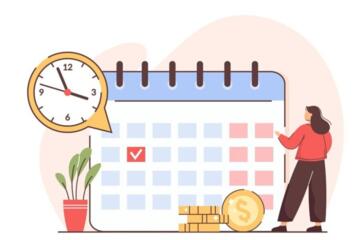
Automatic renewal terms are contract clauses that extend a service period unless you cancel within a stated window. The “dates that matter” usually include the renewal effective date, the notice deadline, and the billing date when charges hit your payment method. A subscription can renew on one date and bill on another, which is why people sometimes cancel “in time” yet still see a charge.
In health-adjacent contexts—such as telehealth memberships, wellness programs, or patient-support services—renewal timing can affect access to care coordination or administrative support. Even when the service is not medical treatment itself, the billing and access rules can still create real friction. If you manage multiple recurring payments, the renewal clause becomes a calendar problem, not a vague “subscription issue.”
To make this concrete, imagine a membership that renews on the 15th. If the contract requires cancellation at least 10 days before renewal, you must act by the 5th. If your bank posts charges on the 15th, you may see the charge even if you submitted a cancellation request on the 6th, especially when the provider processes requests in batches.
Main Renewal Pain Points
People often misread automatic renewal terms because they focus on the renewal date and ignore the notice window. The notice window can be expressed as “X days prior to renewal,” “by the end of the billing cycle,” or “before the renewal date,” and each phrasing changes your deadline. Contracts also sometimes define renewal as the start of a new term, while billing occurs at the end of the prior term.
Another common mistake involves assuming that “canceling” stops future charges immediately. Many services treat cancellation as effective at the end of the current term, which means you still pay for the period you already received. Some providers also require cancellation through a specific channel, and a message sent through customer support chat may not count if the contract says “written notice” or “account settings.”
Supporting technologies create the dependency chain. Payment processors handle authorization and capture; banks post transactions based on settlement timing; and customer portals log cancellation requests with timestamps. If a provider’s system records your cancellation after a cutoff time—often tied to the renewal run—your request may apply to the next cycle. I’ve seen cases where the portal shows “cancellation scheduled,” but the backend still renews because the cutoff passed; the UI update lagged by a day or two, which is annoying and hard to prove.
Terms changes add another layer. Some contracts allow the provider to change terms with notice, then apply the new terms at the next renewal. If you miss the notice window for opting out, you may be bound by updated cancellation rules. This is where “dates that matter” become more than dates; they become the boundary between old and new rules.
Solutions And Practical Advice
Map Your Three Key Dates
Start by pulling the contract or terms page and locating three items: the renewal effective date, the cancellation notice deadline, and the billing date or billing cycle. If the contract says “notice must be received at least 10 days before renewal,” mark the deadline as a “received-by” date, not a “sent-by” date. Use a calendar reminder that triggers two alerts: one for the notice deadline and one for the renewal date. If you manage payments in a spreadsheet, add a column for “proof of cancellation” and store the screenshot or email confirmation.
When the contract is unclear, treat the ambiguity as a risk. For example, if it says “cancel before renewal,” assume you need to cancel before the renewal run, not on the day of renewal. In one anonymized scenario, a reader canceled on the renewal day at 9:30 a.m. and still received a charge because the provider’s processing batch ran overnight; the contract did not state a cutoff time, which made the dispute harder.
Use Proof, Not Memory
Cancel through the method the contract names, then capture evidence. Save the confirmation number, the email receipt, and a timestamped screenshot from the account page. If the provider offers a cancellation confirmation screen, record the date and time shown. If you submit a request by email or form, request a written confirmation reply; many providers respond with a ticket ID, and that ID becomes your anchor when you dispute charges.
For recurring payments, check your payment method settings and billing history. Some services show “next billing date” in the account dashboard; others show only the last charge. If you see a “next charge” date after you cancel, wait a short period and re-check, because portals sometimes update with a delay—one portal version I reviewed showed changes only after a refresh cycle, roughly 24 hours later.
Respond Fast If You Miss
If you miss the notice deadline and the renewal already happened, act quickly. Contact the provider and ask for a reversal or refund based on the contract language and the timing of your request. Keep your message factual: include the renewal date, the date you submitted cancellation, and the proof you saved. If the provider refuses, ask whether they can apply a credit to the next cycle or adjust access dates.
For payment disputes, follow your payment method’s process. Credit cards often support chargeback windows that start from the posting date; debit cards may have different timelines. Banks also differ on what documentation they require. If you’re within a short window, a refund request plus proof of timely cancellation can strengthen your position, even when the provider claims the cutoff passed.
Handle Term Changes With Opt-Out Dates
When terms change, the contract may require you to opt out by a specific date. Look for language about “notice,” “effective date,” and “continued use” or “continued payment” as acceptance. If the provider posts updated terms in an account portal, the notice date might differ from the effective date. Mark both dates and compare them to your cancellation deadline.
In practice, you may need to cancel earlier than usual if the provider changes the cancellation rules. If the new terms shorten the notice window, you can end up trapped by the old calendar. A mild frustration many readers report: the updated terms appear after the renewal run, so the “notice” feels theoretical. Still, the contract often treats the posting as notice, so you’ll want to document when you first saw the update.
Case Examples For Real Life
Example 1: Wellness Membership Renewal
A reader subscribes to a wellness membership that renews monthly on the 1st. The terms state cancellation must be received at least 3 days before renewal. The reader submits cancellation on the 29th at night. The account still shows the next billing date as the 1st, and a charge posts on the 1st. The reader contacts support with the submission timestamp and asks for a refund for the renewed month; the provider offers a partial credit after reviewing the cutoff time in their logs.
Example 2: Telehealth Support Add-On
A family adds a patient-support add-on to a telehealth service. The contract says the add-on renews annually on March 10 and cancellation must be submitted “before February 28.” The family misses the deadline by a week. After renewal, they request cancellation effective immediately and ask whether the provider can honor the request as a courtesy. The provider denies immediate termination but confirms the add-on remains active through the end of the annual term, matching the contract’s effective-period language.
Renewal Checklist And Table
Use this checklist to reduce guesswork before the renewal run. If you track multiple services, the list also helps you spot which provider uses “received-by” versus “sent-by” language.
| What To Find | Where It Appears | What Date To Mark | What To Do Next |
|---|---|---|---|
| Renewal Effective Date | Terms section on “Term” or “Renewal” | Date the new term starts | Add a reminder to verify account status |
| Cancellation Notice Deadline | Cancellation policy | “Received-by” or “by” date | Submit early and save proof |
| Billing Date / Charge Timing | Billing section or account dashboard | When your card or bank posts the charge | Check posting after cancellation |
| Terms Change Opt-Out Date | “Changes to Terms” section | Deadline to reject updated terms | Document when you saw the update |
Step-by-step checklist
- Open the contract or terms PDF and search for “renew,” “term,” “cancellation,” “notice,” and “effective.”
- Write down the renewal effective date and the cancellation deadline exactly as stated, including “received” versus “sent.”
- Check your account dashboard for the next billing date and compare it to the contract’s renewal date.
- Cancel using the method named in the contract, then save confirmation and timestamps.
- Re-check the account 24–48 hours later to catch portal update delays.
- If a charge posts, contact support with proof and request a reversal or credit based on the contract language.
Common Mistakes That Cost Money
One frequent error involves canceling through a channel that the contract does not recognize. A phone call or chat transcript may not satisfy a clause requiring “written notice” or cancellation “through the account.” Another error involves waiting until the last day. Even when you submit on time, processing cutoffs can shift the effective timestamp, and the provider may treat the request as received after the cutoff.
People also misinterpret “end of term” language. If you receive access through the end of the current period, the provider may still charge for that period even after you cancel. That outcome feels unfair, but it matches how many subscription contracts define service delivery. If you want to avoid paying for an additional period, you need to cancel before the notice deadline, not after you decide you no longer want the service.
Another mistake is failing to document what you did. Without a confirmation email, ticket ID, or screenshot, disputes become a debate about memory. Providers can show internal logs that conflict with your recollection, and banks often require evidence when you dispute a charge. Save the proof while it still exists; portals sometimes remove old confirmation pages after a few months.
Finally, readers sometimes overlook how terms changes interact with cancellation. If the provider updates the cancellation policy and you miss the opt-out date, the new rules may govern the next renewal. That means your usual calendar habit can fail, and you’ll need to re-check the notice window each time you see a terms update.
FAQ
What date controls an automatic renewal?
The contract’s renewal effective date controls when the new term starts, but the cancellation notice deadline controls whether the renewal should be prevented. Billing may post on a separate date tied to payment processing.
Does canceling on the renewal day stop the charge?
It often does not. Many contracts require notice to be received days before renewal, and providers run renewal processing in batches with cutoffs.
What counts as “notice received”?
“Received” usually means the provider’s system logs your cancellation request, not the time you sent it. If the contract specifies a channel, use that channel and save confirmation.
How do I prove I canceled on time?
Use the confirmation email, ticket ID, account cancellation confirmation screen, and timestamps. If possible, capture screenshots showing the next billing date before and after cancellation.
What should I do if the provider changed terms?
Check the “changes to terms” section for an opt-out deadline and effective date. Document when you first saw the update, then cancel using the rules that apply to the next renewal cycle.
Author's Insight
Automatic renewal disputes usually hinge on timing language: “by” versus “received,” and the relationship between renewal effective dates and billing dates. Payment posting delays and portal update lags can create confusion, so evidence matters more than recollection. I synthesize common contract structures and payment-process behavior seen across subscription services, including how renewal runs can occur before a user sees an updated account status. If you want a practical outcome, track the three dates, cancel through the named channel, and keep proof that shows the timestamp of your request.
Key Takeaways
Mark the renewal effective date, the cancellation notice deadline, and the billing date, because they often differ. Cancel through the method named in the contract and save confirmation with timestamps. Re-check your account after 24–48 hours to catch portal update delays. If a charge posts after you canceled, contact support quickly with proof and ask for a reversal or credit based on the contract language.